


























How Turning Off Autoplay Changes the Way You Watch Videos
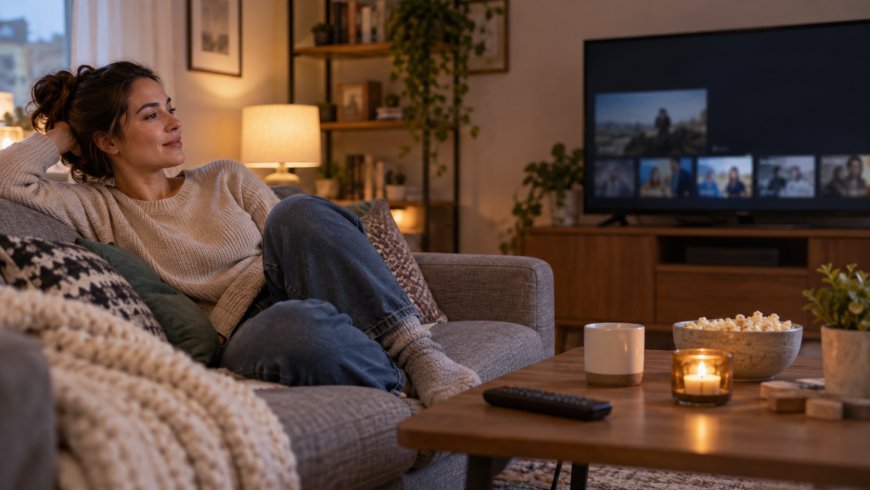
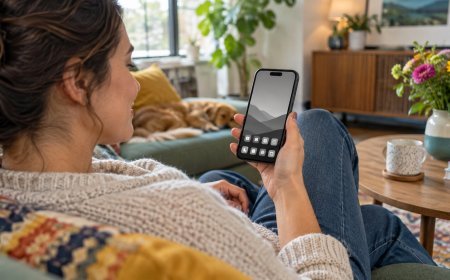
You sat down for one clip. A friend sent a recipe video, or you opened a short about a weekend hike, or you tapped something funny after a long day. Twenty minutes later the screen was still going. Another video had already started. Then another. You never meant to keep watching. The platform simply assumed you would.
That assumption is autoplay. It is one of the quietest defaults on streaming apps, social feeds, and video sites, and it shapes how evenings disappear. This piece is about what changes when you turn that default off. It is not a lecture about screens in general, not a sleep-hygiene checklist, and not a call to quit video for good. It is a closer look at one setting, and how reclaiming the pause between clips can change the way you watch.
What Autoplay Actually Does
Autoplay is the feature that starts the next video without asking. On some platforms it queues a related clip. On others it loops into a recommendation chain that feels endless. You did not choose the second video. The system chose it for you based on what you just finished, what people like you watch, and what keeps attention longest.
The design is convenient when you want a continuous stream. It is less convenient when you only wanted one thing. Without a clear stop signal, watching becomes a river instead of a series of choices. Turning autoplay off does not remove the videos. It puts a small gate between them, and that gate is yours to open.
The Lived Difference After You Flip the Switch
The first night many people notice something simple: silence after the credits, or a still thumbnail instead of motion. That pause can feel odd at first. You might reach to tap the next video out of habit. Then you catch yourself and ask a quieter question: do I actually want another one?
Sometimes the answer is yes. You search, pick, and press play with intention. Sometimes the answer is no, and you close the app. Either way, you made a decision. That decision is the whole point. Autoplay removes the decision. Turning it off restores it.
Where Autoplay Hides on Common Platforms
Settings menus differ by app and device, but the idea is the same. Look for language like autoplay next video, autoplay videos, continuous play, or play next. On streaming services it often lives under playback or account preferences. On social apps it may sit under media, data saver, or accessibility-adjacent options.
You may need to toggle it in more than one place. Phone, tablet, smart TV, and browser can each keep their own preference. A five-minute sweep across the devices you actually use is enough. You do not need to hunt every obscure menu. Start with the apps that eat most of your watching time.
- Check your main streaming app on the device you use most
- Open the social or short-video apps you open daily
- Glance at browser extensions or site settings if you watch on a laptop
- Repeat on a second device only if you use it often
Why One Extra Tap Matters More Than It Sounds
Friction is usually framed as a bad thing in product design. Here, a little friction is a gift. When the next video does not start on its own, you get a beat of awareness. That beat is where preference lives. You notice whether you are still curious or just coasting.
Over a week, those beats add up. You may watch fewer videos without trying to cut back. Or you may watch the same amount, but only pieces you chose. Quantity is not the only measure. Quality of attention is another. Choosing the next clip tends to feel more satisfying than being carried into it.
How Recommendations Feel Different Without the Cascade
Autoplay and recommendations work as a pair. Autoplay delivers the suggestion instantly. Recommendations decide what that suggestion is. When autoplay is on, the handoff is seamless. When it is off, you still see suggestions, but they wait. You can skim titles, skip the bait, or pick something that matches your actual mood.
Many people find their taste sharpens. You start noticing which thumbnails pull you in for the wrong reasons: outrage, novelty, or pure filler. You also notice which ones you return to because they teach, soothe, or delight. Turning off autoplay does not fix algorithms. It simply slows your response to them so you can steer.
Watching With Other People Changes Too
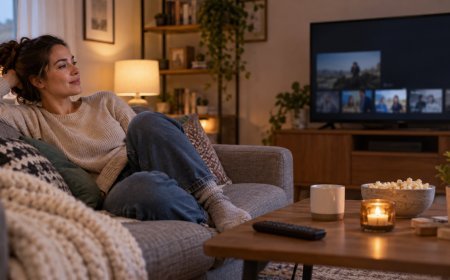
Shared screens often turn into background noise when autoplay keeps going. A show ends, another trailer begins, and conversation drifts. With autoplay off, the end of a video becomes a natural pause. Someone can ask what to watch next. Someone can suggest stopping. The room gets a say.
This is especially useful for family evenings or roommate hangs. The goal is not to police anyone's choices. The goal is to make the next choice a group moment instead of a default. If someone wants the continuous stream, they can turn autoplay back on for that session. Defaults are not forever. They are starting points.
A Gentle Experiment for One Week
If you are unsure, treat this like a short trial rather than a lifestyle overhaul. Pick your two heaviest video apps. Turn autoplay off. Leave everything else alone. For seven days, notice three things: how often you stop after one video, how often you deliberately choose a second, and how your evenings feel when the screen goes quiet on its own.
Write nothing formal unless you want to. A mental note is enough. At the end of the week, decide whether to keep the setting. Some people keep it off everywhere. Others leave it off on social apps and on for a favorite series platform. Both are valid. The win is conscious preference, not a perfect system.
- Choose two apps that autoplay into your time most often
- Disable autoplay on those apps tonight
- Watch as usual for a week and notice the pauses
- Adjust per app based on what felt better
What This Is Not
This is not a campaign against video, entertainment, or rest. Watching something you love is a normal part of a full life. This is also not advice about where you keep your phone, how late you stay online, or how to redesign your bedroom. Those topics live elsewhere. Here the focus stays narrow: platform defaults that keep content moving without your say-so.
You do not need to optimize every setting on every device. You do not need to feel guilty about nights you leave autoplay on. Curiosity beats perfection. If one toggle gives you back a little choice, that is already a solid step.
Bottom Line
Autoplay is a small switch with a large effect on how videos flow through your day. Turning it off restores a pause between clips, invites intentional next choices, and softens the pull of endless recommendation cascades. You still get to watch. You simply get to decide when watching continues.
Tomorrow, open the video app you use most and find the autoplay toggle. Flip it off once. Notice what happens after the first video ends. That single pause is the whole practice in miniature, and it is enough to begin.
What's Your Reaction?
 Like
0
Like
0
 Dislike
0
Dislike
0
 Love
0
Love
0
 Funny
0
Funny
0
 Angry
0
Angry
0
 Sad
0
Sad
0
 Wow
0
Wow
0