




























What Happens to Your Phone Habits When You Switch the Screen to Grayscale?
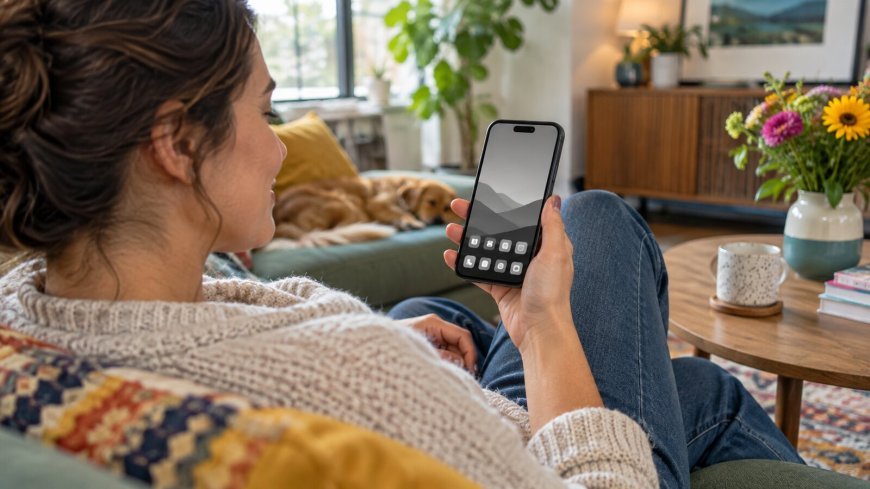
Your phone uses color to make badges, photos, and videos feel vivid and inviting. Switching to grayscale removes that layer of stimulation. It will not magically break every habit, but it can make automatic checking easier to notice.
Why Color Matters
Bright dots and thumbnails act as visual cues. In grayscale, the screen may feel more like a tool. You can still open the same apps, but the pause creates room for a conscious choice.
What You May Notice
- Feeds look less urgent.
- Badges blend into the screen.
- Shopping and video apps feel less tempting.
- You notice why you unlocked the phone.
Some people find grayscale calming; others find it annoying or less accessible. Both reactions are useful feedback.
Try a Three-Day Experiment
Use grayscale for three ordinary days. Note your usual screen time, pickup frequency, bedtime scrolling, and whether you leave apps sooner. Treat the numbers as information, not a grade.
Make It Easier to Live With
Create a shortcut to restore color when needed, or use grayscale only in the evening. Pair it with hidden badges, a simpler home screen, or moving distracting apps.
What It Cannot Do
Grayscale cannot replace boundaries or meaningful offline activities. Add an appealing alternative such as music, a book, a walk, or a conversation. Keep the setting only if it supports the life you want.
What's Your Reaction?
 Like
0
Like
0
 Dislike
0
Dislike
0
 Love
0
Love
0
 Funny
0
Funny
0
 Angry
0
Angry
0
 Sad
0
Sad
0
 Wow
0
Wow
0