






























What Happens to Your Bedtime Routine When Your Phone Sleeps in Another Room?
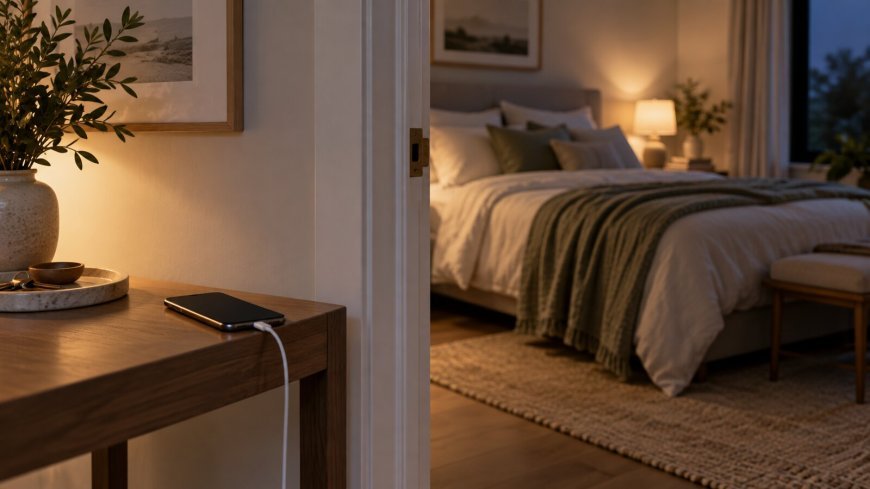
<div style="font-size: 14pt; line-height: 1.7;" data-mce-style="font-size: 14pt; line-height: 1.7;"><p>When a phone sleeps beside the bed, the day can stretch into the night one notification or “quick check” at a time. Charging it in another room does not guarantee perfect sleep, but it changes the environment so bedtime requires fewer decisions.</p><p style="font-size: 14pt;"><strong>The Habit Becomes Less Convenient</strong></p><p>A bedside phone makes checking effortless. Moving it adds a little friction: you must stand up and leave the room. That pause can reveal whether you truly need the device or are reaching automatically.</p><p style="font-size: 14pt;"><strong>Your Routine Gains an Ending</strong></p><p>Plugging the phone in elsewhere can signal that the active day is over. Pair it with dimmer lights, brushing your teeth, setting out clothes, or reading a few pages.</p><p style="font-size: 14pt;"><strong>Mornings May Change Too</strong></p><p>Without the phone within reach, the first minutes can go to opening the curtains, drinking water, stretching, or noticing how you feel before messages arrive.</p><p style="font-size: 14pt;"><strong>Solve the Practical Objections</strong></p><p>If you use the phone as an alarm, try a simple clock or place the device where it is audible but not reachable. Allow emergency contacts to bypass Do Not Disturb. Keep medical and accessibility tools available.</p><p style="font-size: 14pt;"><strong>Try It for One Week</strong></p><ul><li>Choose a consistent charging spot.</li><li>Set the alarm and important exceptions first.</li><li>Keep a book or notebook near the bed.</li><li>Notice bedtime scrolling and morning checking.</li><li>Adjust the distance if another room is impractical.</li></ul><p style="font-size: 14pt;"><strong>Do Not Make It a Purity Test</strong></p><p>Some evenings require the phone. Even placing it across the room, face down, with notifications silenced can reduce automatic use. The goal is to decide where technology belongs and create a calmer boundary around rest.</p></div><p style="font-size: 14pt;" data-mce-style="font-size: 14pt;"><strong>Decide what the phone is replacing</strong></p><p style="font-size: 14pt;" data-mce-style="font-size: 14pt;">Moving a phone out of the bedroom works better when you replace its useful jobs. If it is your alarm, buy a simple alarm clock. If you use it for music, choose a speaker or timer. If you read before sleep, keep a book or magazine nearby.</p><p style="font-size: 14pt;" data-mce-style="font-size: 14pt;"><strong>Create a charging home</strong></p><p style="font-size: 14pt;" data-mce-style="font-size: 14pt;">Choose one dependable charging spot in the kitchen, hallway, or living room. Keep the cable there so the routine does not require searching. A small tray can hold the phone, watch, and earbuds and make the new location feel intentional.</p><p style="font-size: 14pt;" data-mce-style="font-size: 14pt;"><strong>Set a realistic cutoff</strong></p><p style="font-size: 14pt;" data-mce-style="font-size: 14pt;">Start by placing the phone outside the room fifteen or thirty minutes before sleep. An abrupt two-hour digital curfew may be harder to maintain. Once the shorter window feels normal, expand it only if doing so improves the evening.</p><p style="font-size: 14pt;" data-mce-style="font-size: 14pt;"><strong>Handle emergencies in advance</strong></p><p style="font-size: 14pt;" data-mce-style="font-size: 14pt;">Use emergency-bypass settings for important contacts when appropriate, keep the ringer loud enough to hear from the chosen location, or use a connected home phone if needed. Families and caregivers may require a different setup from someone without overnight responsibilities.</p><p style="font-size: 14pt;" data-mce-style="font-size: 14pt;"><strong>Prepare tomorrow before disconnecting</strong></p><p style="font-size: 14pt;" data-mce-style="font-size: 14pt;">Check the weather, confirm the first appointment, set the alarm, and write down any reminder before placing the phone on its charger. This reduces the urge to retrieve it for one last task that becomes twenty minutes of scrolling.</p><p style="font-size: 14pt;" data-mce-style="font-size: 14pt;"><strong>Give the hands something else to do</strong></p><p style="font-size: 14pt;" data-mce-style="font-size: 14pt;">Keep a low-effort replacement within reach. Read a few pages, stretch gently, write tomorrow's short list, prepare clothes, or listen to quiet audio. The replacement should feel easier than getting out of bed to find the phone.</p><p style="font-size: 14pt;" data-mce-style="font-size: 14pt;"><strong>Expect the first nights to feel strange</strong></p><p style="font-size: 14pt;" data-mce-style="font-size: 14pt;">Habitual checking can make the room feel unusually quiet. That discomfort does not mean the experiment is failing. Notice the urge without turning it into a test of willpower. If necessary, move the charging spot just outside the door before moving it farther away.</p><p style="font-size: 14pt;" data-mce-style="font-size: 14pt;"><strong>Keep mornings from becoming a rebound</strong></p><p style="font-size: 14pt;" data-mce-style="font-size: 14pt;">Avoid replacing bedtime scrolling with thirty minutes of scrolling immediately after waking. Complete one morning action first, such as opening the curtains, drinking water, washing up, or making breakfast. Then check the phone with a clearer purpose.</p><p style="font-size: 14pt;" data-mce-style="font-size: 14pt;"><strong>Share the plan with the household</strong></p><p style="font-size: 14pt;" data-mce-style="font-size: 14pt;">Agree on where devices charge and how family members can reach one another. Parents may use a shared station while keeping an emergency device available. The routine is easier when it does not feel like one person's rule imposed on everyone.</p><p style="font-size: 14pt;" data-mce-style="font-size: 14pt;"><strong>Try a seven-night experiment</strong></p><p style="font-size: 14pt;" data-mce-style="font-size: 14pt;">For one week, note what time the phone leaves the room, whether you retrieved it, and how the evening felt. Do not promise a permanent lifestyle change on day one. A short experiment provides enough information to adjust the setup.</p><p style="font-size: 14pt;" data-mce-style="font-size: 14pt;"><strong>Adjust rather than abandon</strong></p><p style="font-size: 14pt;" data-mce-style="font-size: 14pt;">If the phone must remain nearby for work or caregiving, place it across the room, turn off nonessential notifications, use a scheduled focus mode, and keep the screen facedown. The goal is to reduce automatic checking, not follow a rigid rule.</p><p style="font-size: 14pt;" data-mce-style="font-size: 14pt;"><strong>Bottom line</strong></p><p style="font-size: 14pt;" data-mce-style="font-size: 14pt;">Letting the phone sleep in another room is a practical environment change. Replace the alarm, create a charging home, protect emergency access, and begin with a short cutoff. A setup that fits real responsibilities is more likely to last than an extreme digital detox.</p>
What's Your Reaction?
 Like
0
Like
0
 Dislike
0
Dislike
0
 Love
0
Love
0
 Funny
0
Funny
0
 Angry
0
Angry
0
 Sad
0
Sad
0
 Wow
0
Wow
0